tools
Picsart AI Image Generator
Picsart AI Image Generator creates images from text prompts, styles, and reference images, then lets users edit or export them in Picsart.
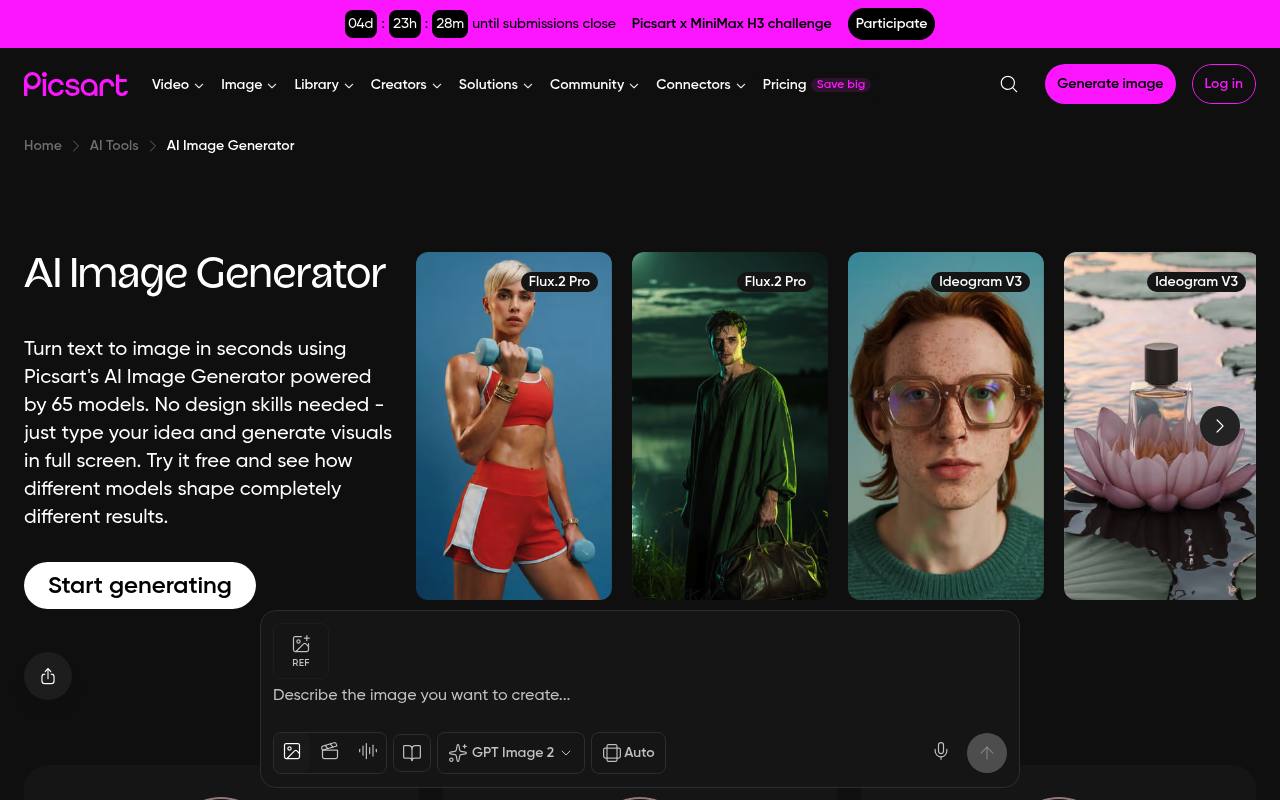
Picsart AI Image Generator turns text prompts into images and provides model, style, preset, aspect-ratio, and reference-image controls. Generated images can be opened in Picsart for editing, resizing, remixing, or export.
It is used by creators, marketers, small businesses, and design teams for social graphics, product visuals, posters, illustrations, and campaign assets. A free option has limited generations; paid plans add credits, models, editing tools, storage, and other features.
Features
- Generate images from text prompts
- Choose from multiple AI image models
- Apply style filters and preset looks
- Upload reference images to guide generation
- Set an aspect ratio manually or automatically
- Generate images up to 8K resolution
- Edit, resize, remix, and export generated images
Use cases
- Create social media graphics from written ideas
- Generate product visuals without a photo shoot
- Prototype posters, illustrations, and campaign concepts
- Produce branded image variations for marketing
- Turn reference images and prompts into new designs
Pros
Cons
Latest updates
- GPT Image 2.6 in Picsart: OpenAI’s current most advanced model (GPT Image 2.6)
GPT Image 2.6 is now live across Picsart’s AI tools, with Flare and Sunburst forms, animated GIFs, markup-guided edits, SVG export and a complexity setting.
- Introducing Ren, the AI anime maker that directs every shot
Ren is an AI anime maker on Picsart that turns a story idea, photo or video clip into anime.
- Ideogram Vector explained: SVGs from a prompt or a photo
Ideogram Vector and Ideogram Vectorize are now in the Picsart AI Playground for creating and tracing SVGs.
- Halloween ads: 6 ready-made workflows in Picsart Flow
Picsart Flow now includes six ready-made Halloween advertising workflows.
- Flux 3 Image Klein vs Flux 3 Image: speed or control (Flux 3 Image Klein; Flux 3 Image)
Flux 3 Image Klein and Flux 3 Image are now available in Picsart AI Playground.
Capabilities
- Text to image — “Turn text to image in seconds using Picsart's AI Image Generator powered by 65 models.” source
- Edits images — “Swap backgrounds with AI Background , replace specific elements using AI Replace , sharpen details with AI Image Enhancer , or make full adjustments in the AI Photo Editor.” source
- Style or character reference — “Upload a reference image Guide your generation with an existing visual for consistent style and direction.” source
- Image to video — “Image to Video” source
- Text in images — “Want readable text placed directly inside an image? Ideogram V3 is built for it.” source
- Commercial use — “Many AI generated images can be used for personal projects, social media, and commercial purposes.” source
- API — “Prepaid or pay-as-you-go creative APIs” source
- Mobile app — “Access projects on mobile app and on web platform” source
Get it
Pricing
- Starting price
- $10.50/mo
- Prices checked
- 2026-10-23
Pro
- $10.5/mo Billed yearly
- $15/mo
- Access to all photo & video editing features
- Advanced background & object removal
- Unlimited image generations with Flex.2 Klein
- Millions of stock photos & Getty video clips
- Support for 3+ brand kits
- 100 GB of cloud storage
Ultra
- $60/mo Billed yearly, per seat
- $75/mo Billed monthly, per seat
- 200+ leading AI video, image, and audio models
- Parallel video generations with the world's most powerful AI video models
- Early access to advanced AI features
- Option to buy add-on credits that never expire
- Support for 10+ brand kits
- 300 GB of cloud storage per seat