tools
InvokeAI Review 2026 — Professional Open-Source AI Image Canvas
InvokeAI is a professional open-source Stable Diffusion platform. Unified Canvas for inpainting and compositing, node workflow editor, supports Flux.1 and SDXL.
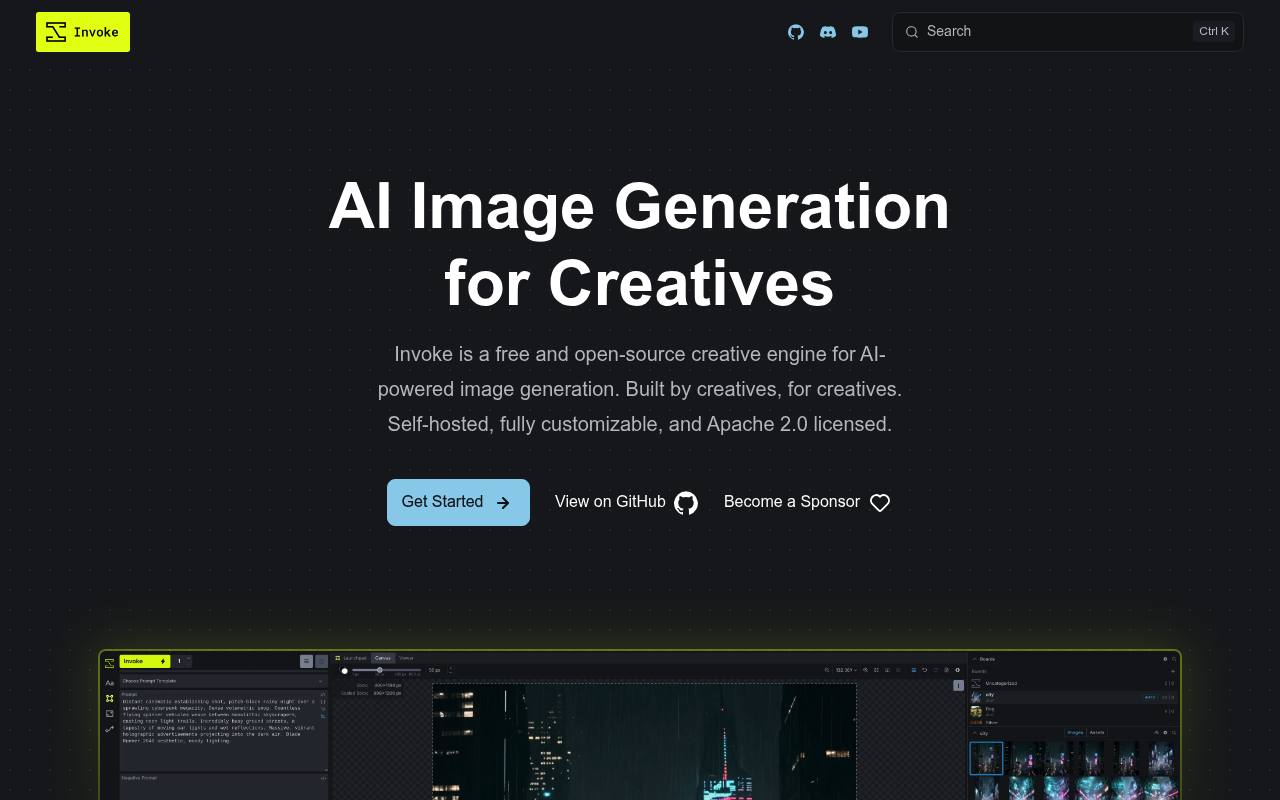
Invoke provides a local web interface for text-to-image, image-to-image, inpainting, outpainting, model management, and repeatable node-based workflows. It includes a layered canvas, ControlNet support, batch generation, prompt tools, and gallery organization.
Artists, designers, developers, and technical users can run it on their own hardware or use third-party hosted GPU services. The former officially hosted Invoke.ai platform has shut down; external model providers and hosted GPU services may charge separately.
Features
- Layer-based Unified Canvas for drawing, editing, inpainting, and outpainting
- Visual node-based workflows for repeatable image-generation pipelines
- Model Manager for checkpoints, LoRAs, textual inversions, and ControlNets
- ControlNet guidance using depth maps, edges, poses, and other controls
- Batch generation, prompt wildcards, and high-resolution upscaling
- Local self-hosting with data, prompts, and creations stored on your hardware
- External model support through third-party image-generation APIs
- Apache 2.0 license
Use cases
- Generate images locally from text prompts
- Edit and extend images with the layered canvas
- Build repeatable generation pipelines with visual nodes
- Guide compositions with ControlNet inputs
- Organize generated images and videos in gallery boards
- Use hosted GPU services when local hardware is insufficient
Pros
Cons
Latest updates
- InvokeAI 6.14.3 (6.14.3)
Enhances the Canvas with a vector graphics layer and corrects a download bug in the Model Manager.
- Windows ARM64 wheels (win-arm64-wheels-v1)
Self-built win_arm64 wheels consumed by pyproject.toml’s invoke-win-arm64-wheels index.
- Version 6.14.2 Latest (6.14.2)
You can now import custom fonts for use with the Canvas text tool and transfer an image’s style to krea-2 by providing a reference image.
- Version 6.14.2 (6.14.2)
Fixes bugs in version 6.14.1, adds custom font import for Canvas text, and transfers an image’s style to krea-2 using a reference image.
- Version 6.14.1 (6.14.1)
Workflows can now be screenshot and saved as PNGs; middle clicks open media in a new browser tab; Krea-2 LoRAs with DoRA magnitudes are supported.
Capabilities
- Text to image — “These are pure text-to-image models (no image editing capabilities).” source
- Edits images — “Invoke’s powerful canvas allows you to draw, paint, sketch, and edit your creations with unhindered precision.” source
- Upscales — “Rapidly iterate on concepts with batch generation, prompt wildcards, and high-resolution upscaling, all without leaving the app.” source
- Style or character reference — “You can now transfer an image’s style to krea-2 by providing a reference image” source
- Image to video — “We support text-to-video, image-to-video (use a still image to initiate the video), and image-to-image-video (interpolate video between two images).” source
- Text in images — “You need a specific provider capability (very high resolutions, fast batches, bilingual text rendering, etc.).” source
- Private generation — “Your data, prompts, and creations belong entirely to you.” source
Pricing
- Starting price
- $15/mo
- Prices checked
- 2026-10-27
- Read
- by web search
Free / Open Source
Free
- Free and open-source
- Self-hosted
- Apache 2.0 licensed
- Local & private on your hardware
Starter
- $15/month billed annually
- $19/month billed monthly
- 7200 processing credits per month
- 1 single-user Studio space
- Workflow Builder
- Queue 1 batched job
- 20gb of asset and custom model storage
Indie
- $39/month billed annually
- $49/month billed monthly
- Everything in Starter plus
- 18,000 processing credits per month
- Queue up to 3 batched jobs
- 100GB of asset and custom model storage
- Custom model training
Premier
- $79/month billed annually
- $99/month billed monthly
- Everything in Indie plus
- 36,000 processing credits per month
- Multi-user account management with role-based access controls
- Advanced Collaboration Features
- 200GB of asset storage per user
- API Access (coming soon), Priority email support
Enterprise
Price on request
- Everything in Professional plus
- Custom Contract Development
- Expanded Security & Risk Management Controls
- Enterprise Authentication and SSO
- Pooled processing credits, Dedicated account manager