Research
ReCoGS: Real-time ReColoring for Gaussian Splatting scenes
ReCoGS: Real-time ReColoring for Gaussian Splatting scenes Overview Research area: Computer Vision / 3D scene editing, specifically interactive recoloring of 3D Gaussian Splatting (3DGS) reconstructio
- arXiv
- 2511.18441
- Published
- 2025-11-23
- Authors
- Lorenzo Rutayisire, Nicola Capodieci, Fabio Pellacini
AI summary
ReCoGS: Real-time ReColoring for Gaussian Splatting scenesOverview
- Research area: Computer Vision / 3D scene editing, specifically interactive recoloring of 3D Gaussian Splatting (3DGS) reconstructions.
- Technical level: Intermediate. The paper is readable without deep math, but its implementation discussion assumes familiarity with Gaussian Splatting, CUDA, stereo depth estimation, and the rasterization pipeline.
- Scope: The paper introduces a real-time, user-driven pipeline that lets a person paint a 2D mask on a single view of a pre-trained Gaussian Splatting scene, unprojects that mask to 3D using a learned depth model, and applies a color tint across training views while a background optimizer refits the scene.
What This Paper Is About
Editing a Gaussian Splatting scene is difficult because the 3D gaussians do not represent object geometry — they are placed arbitrarily in space as long as the rendered image matches the photographs. Most recent editing work relies on 2D diffusion models to generate edited multi-view data, which is slow, resource-hungry, and hard to control at fine granularity. This paper targets one specific editing task, recoloring, and builds an interactive pipeline that gives the user pixel-level control and runs on customer-grade hardware.
Key Contributions
-
A "2D to 3D" selection method. The user paints a selection mask directly on a reference view at pixel resolution; the mask is unprojected into a 3D pointcloud using a predicted depth map, then re-projected onto training views to define which pixels receive the edit.
-
A depth prediction strategy for the unprojection step. The authors evaluate monocular depth estimation, stereo matching, and multi-view stereo, and select PCVNet, which they run in a "Stereo-HV" configuration (stereo matching both horizontally and vertically, with the two depth maps aggregated as
d = min(d', d'')). -
A background optimizer restricted to spherical harmonics. Because recoloring involves no geometry change, only the spherical harmonics coefficients are refit — no gaussian densification or pruning occurs — so scene geometry is preserved by construction.
-
A working real-time editor with implementation optimizations. The editor is written in C++ and CUDA using the original Gaussian Splatting rasterizer, runs visualization and optimization on separate threads with dedicated CUDA streams, hard-codes loss gradient computation instead of using libtorch autograd, and uses HWC rasterizer output.
Main Findings
-
Editor performance was assessed on an NVIDIA RTX 3090. The paper reports that real-time capabilities were measured on this GPU.
-
HWC output produced a large kernel speedup. Switching the rasterizer output to HWC and then transitioning to CHW for the convolution-based SSIM loss raised the
renderCUDAkernel's L1 cache hit rate from 4.12% to 55.70%, reducing execution time from 6.61 ms to 1.52 ms. -
Depth inference was optimized with TensorRT and FP16. Reported inference speeds: PCVNet (PyTorch) 0.71 s at 50 Mb; PCVNet (CUDA) 1.87 s at 50 Mb; PCVNet (TensorRT) 0.49 s at 102 Mb; PCVNet (TensorRT+FP16) 0.20 s at 22 Mb. The best configuration is still not enough for per-frame inference against the stated target of under 33 ms.
-
Depth accuracy was judged qualitatively. Because ground-truth depth maps were unavailable for the tested scenes, the authors evaluated depth maps qualitatively by visualizing the pointcloud after unprojection; the FP16 TensorRT prediction is noisier but still acceptable after outlier filtering.
-
A diffusion-based baseline is far heavier. The authors benchmarked DGE on an RTX NVIDIA 3060 with 64 GB RAM and an i7-11700KF, reporting >20 Gb peak memory and an average of 4 minutes to execute the pipeline.
-
Other prior methods are also slower. EditSplat is reported at 6 minutes on an RTX A6000, and ICE-G is claimed to run in 21 min on an NVIDIA A40.
-
Runtime scales with scene size and edit frequency. The paper shows elapsed time and GPU memory for recoloring three MipNeRF360 scenes — bicycle, kitchen, and stump — in a figure (numeric per-scene values are not stated in the text). The bicycle scene has the highest runtime because it is the heaviest and the edit was applied to an infrequent area; the stump scene is also heavy but the edit region is frequent. GPU memory peaked at 10 GB for the bicycle scene.
-
Only spherical harmonics are optimized, which can cause leakage. Because geometry is frozen, an edit can leak when the gaussian being edited is larger than the selection.
-
Holes can appear in the unprojected 3D selection. These come from depth prediction errors and from using the imprecise "depth from gaussians" for real-time depth testing between the scene and the 3D selection.
Methodology in Plain English
The workflow has seven stages. The user loads a pre-trained Gaussian Splatting scene into the editor and navigates to any view. They then pause and paint a 2D mask on that view with a brush (and erase with a rubber tool), exactly as they would in an image editor.
To turn that flat mask into something 3D, the system needs depth. The authors first tried a quick heuristic — take the depth of the last gaussian before transmittance drops below a threshold — but found it failed on flat texture-less regions and thin objects like poles. They then tested several depth estimators and settled on PCVNet, a stereo matching model, running it both horizontally and vertically and keeping the minimum of the two depth maps. Camera intrinsics and extrinsics are already known; PCVNet supplies the depth, converted from disparity using focal length and view-space shift.
With depth, camera parameters, and the 2D mask, the system unprojects selected pixels into a 3D pointcloud. To keep it clean, 70% of the mask pixels are uniformly sampled, and statistically isolated points are removed using the average distance to 16 neighbors with a standard-deviation scale factor of 0.007. The user can re-enter selection mode to add or erase points, projecting the existing pointcloud back onto the view.
Meanwhile, a background thread repeatedly samples a training camera at random, projects the 3D selection onto that camera's image plane, and applies the recolor as c* = t · c — the pixel color multiplied by an RGB tint tuple. The optimizer is then stepped, but only for spherical harmonics, since recoloring does not change geometry. Because the 3D selection is rendered with screen-space quads, it is not view-consistent across training views, so the optimizer is responsible for finding the best fit across inconsistent masks — and since the gaussians themselves are 3D objects, the final result is inherently view-consistent.
Why This Matters
Impact on research. The paper offers a distinctive alternative to diffusion-based 3D editing. Rather than inheriting a pretrained diffusion model's priors to produce complex edits, it trades that generality for pixel-level control, view consistency, and interactive latency. Its comparison table frames this as a real trade-off: diffusion methods can perform arbitrary edits but are text-prompted, view-inconsistent in some cases, and computationally heavy; ReCoGS supports only color, but achieves pixel-brush selection with released code.
Real-world applications:
- Interactive 3D content creation, where artists recolor specific surfaces of a captured scene without re-running a full reconstruction.
- Virtual staging and architectural redesign, where a captured room or building can be recolored to preview different finishes.
- E-commerce product visualization, generating color variants from a single captured object.
- AR/VR and game asset preparation, where scanned environments need fast, localized color changes.
Industry relevance. The method runs on customer-grade hardware rather than data-center GPUs, and the background optimizer keeps the interface responsive while edits propagate. The paper notes that PaintSplat pursues the same real-time interactive editing goal but had not released code at the time of writing, leaving this an open lane. The reported costs of diffusion-based alternatives — >20 Gb peak memory and 4 minutes for DGE on the tested hardware, 6 minutes for EditSplat, 21 min for ICE-G — underline why a lightweight, non-diffusion path matters for tool-building.
Future Directions
-
Fix the holes in the 3D selection. The authors suggest that because the user participates heavily in editing, minimal additional interaction could mitigate many of these errors — for instance user-driven refinement of the unprojected pointcloud.
-
Address color leakage from oversized gaussians. Since only spherical harmonics are optimized, an edit can bleed beyond the selection when a gaussian is larger than the mask. The authors propose exploring segmentation and re-enabling densification on selected areas.
-
Speed up editing through camera importance. Each training camera could be assigned an importance proportional to how much influence it has on the edit, rather than being sampled uniformly at random.
-
Tailor the depth model to Gaussian Splatting. PCVNet offered a good accuracy/efficiency trade-off, but the authors believe a stereo matching model designed specifically for Gaussian Splatting — for example, seeded with gaussians' depth — could yield greater improvements. The paper also suggests that the "2D to 3D" selection concept could inspire more complex selections and edits beyond recoloring.
Target Audience
Researchers and practitioners in 3D computer vision, neural rendering, and graphics who are working on Gaussian Splatting editing, interactive 3D tools, or alternatives to diffusion-based 3D editing. It is also useful for graphics and game engine engineers evaluating whether Gaussian Splatting can support interactive in-place edits on consumer hardware, and for readers who want an honest account of the engineering trade-offs — CUDA streams, cache-friendly rasterizer output, TensorRT quantization — required to make such a pipeline feel interactive. Readers unfamiliar with Gaussian Splatting or stereo matching will need to consult the cited background work first.
Authors’ abstract
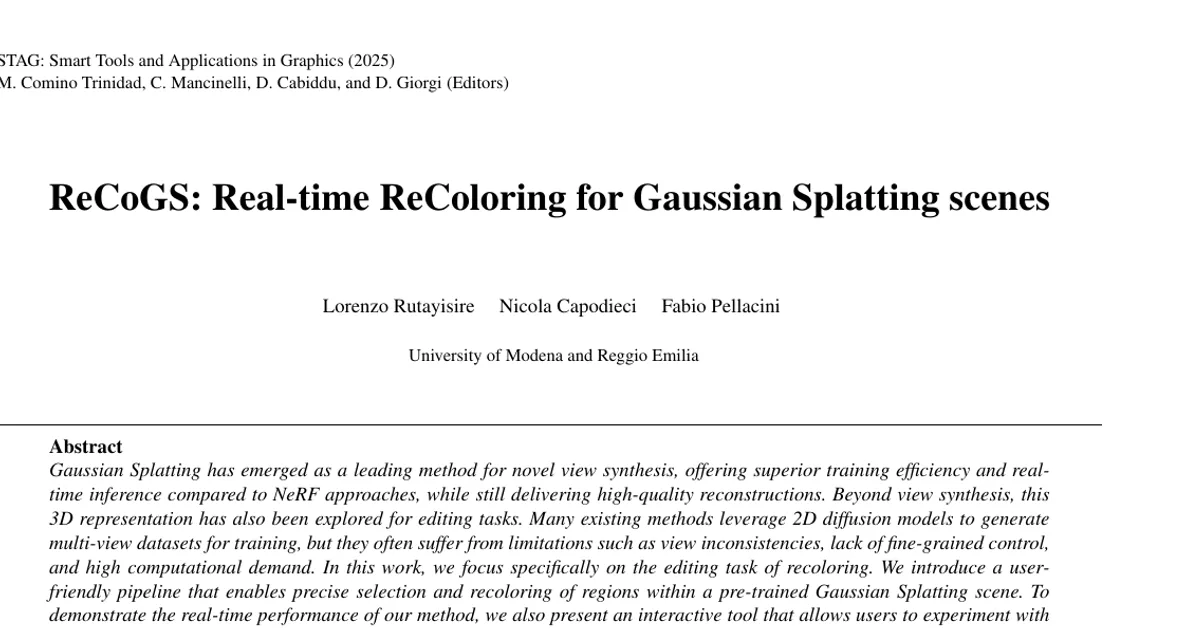
Gaussian Splatting has emerged as a leading method for novel view synthesis, offering superior training efficiency and real-time inference compared to NeRF approaches, while still delivering high-quality reconstructions. Beyond view synthesis, this 3D representation has also been explored for editing tasks. Many existing methods leverage 2D diffusion models to generate multi-view datasets for training, but they often suffer from limitations such as view inconsistencies, lack of fine-grained control, and high computational demand. In this work, we focus specifically on the editing task of recoloring. We introduce a user-friendly pipeline that enables precise selection and recoloring of regions within a pre-trained Gaussian Splatting scene. To demonstrate the real-time performance of our method, we also present an interactive tool that allows users to experiment with the pipeline in practice. Code is available at https://github.com/loryruta/recogs.