tools
PixAI
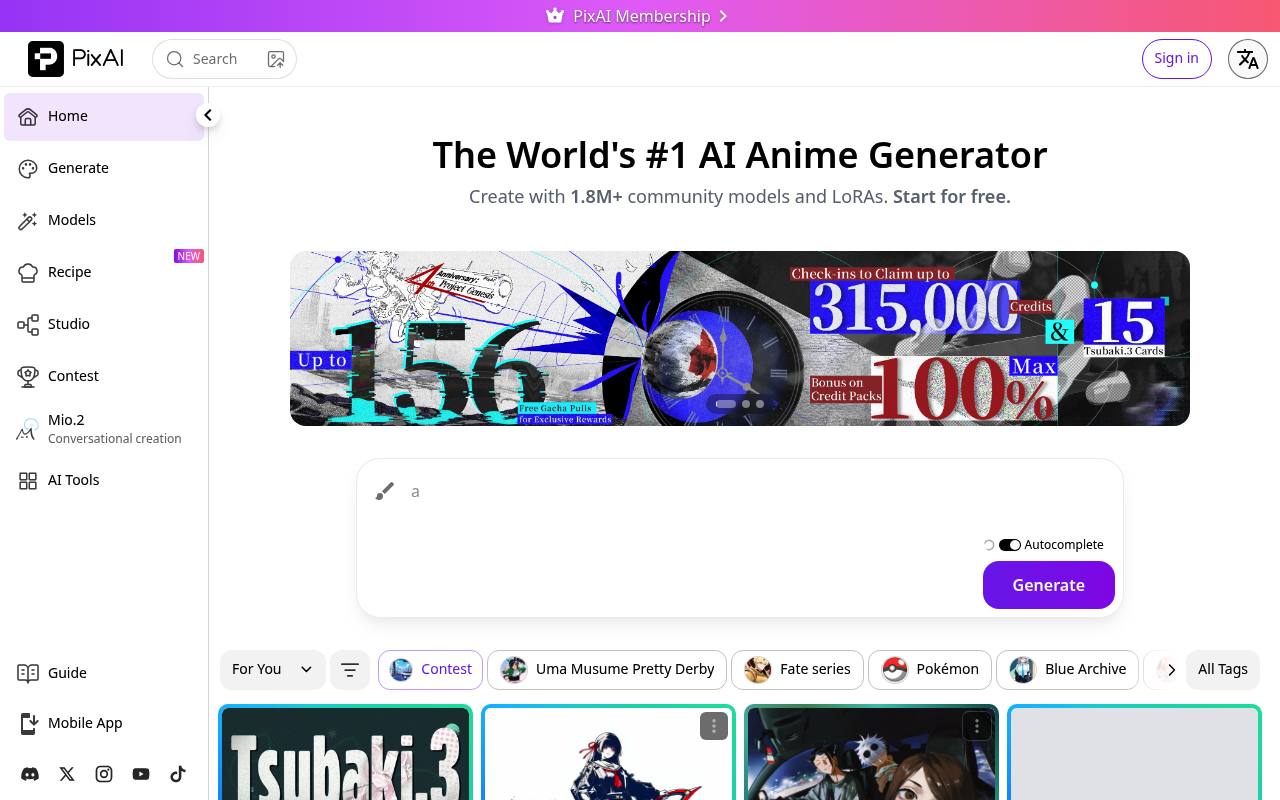
PixAI generates and edits anime, manga, and illustration-style images, with models, LoRAs, video tools, and a creator community.
In inglese
PixAI is a browser and mobile platform for generating anime and illustration-style images from prompts. Users can design characters, edit or enhance uploaded images, train or use LoRAs, generate videos, and browse community models and artwork.
It is used by artists, character designers, hobbyists, and creators making profile images, illustrations, story assets, and social content. Free accounts receive daily credits; paid memberships add credits and creation features, while generation and some advanced tools use credits.
Features
- Generate anime, manga, and illustration-style images from text prompts
- Edit images with image-to-image, inpainting, outpainting, and reference images
- Use community models and LoRAs or train custom LoRAs
- Generate and enhance images with face fixing, HiRes, ControlNet, and composition tools
- Create videos from images or text
- Browse and reuse community artwork settings, models, and LoRAs
- Access AI art generation through a REST API with webhooks
Use cases
- Create original character illustrations from natural-language descriptions
- Design profile pictures, wallpapers, manga scenes, and social artwork
- Refine sketches or existing images with inpainting, outpainting, and upscaling
- Train LoRAs for recurring characters, styles, or creative projects
- Generate short character animations and video clips
- Integrate AI image generation into apps and creative workflows
Pros
Cons
Latest updates
- LoRA Rebate Fix for Early Access Tsubaki.3 LoRAs (Tsubaki.3)
Fixed Tsubaki.3 LoRA rebate distribution and sent missing post-release rebate credits to affected creators.
- PixAI Weekly Update (Sep 15 – Sep 22) (Tsubaki.3)
Tsubaki.3 is fully live; Photo Fail Generator and LoRA advanced training are live; the Editor was upgraded to Repaint.
Capabilities
- Text to image — “Type a short description and you'll get a beautiful image back — no software to install, just open your browser and start creating.” source
- Edits images — “Already have an image? Upload it and let the AI swap styles, retouch details, upscale for crisper quality, or turn a sketch into a finished piece.” source
- Upscales — “Already have an image? Upload it and let the AI swap styles, retouch details, upscale for crisper quality, or turn a sketch into a finished piece.” source
- Style or character reference — “New " Tsubaki.3 Prompt Templates ": natural-language editing, reference-based generation, and quality/style prompt blocks.” source
- API — “pixai.art API Platform” source
- Mobile app — “Native iOS / Android app — optimized for phones so you can create anytime, anywhere.” source
Get it
Pricing
- Starting price
- $7.99/mo
- Prices checked
- 2026-09-26
Free
Free
- LoRAs per generation: Up to 3
Starter
- $9.99/mo
- $7.99/mo
- Monthly bonus credits: 300,000
- Daily credit boost: +20%
- Credit purchase bonus: +50%
- Free LoRA training: 3/mo
- LoRAs per generation: Up to 5
- Private model uploads: Up to 15
Plus
- $29.99/mo
- $22.99/mo
- Monthly bonus credits: 1,000,000
- Daily credit boost: +100%
- Credit purchase bonus: +100%
- Free LoRA training: 5/mo
- LoRAs per generation: Up to 10
- Private model uploads: Up to 25
Premium
- $49.99/mo
- $35.99/mo
- Monthly bonus credits: 2,000,000
- Daily credit boost: +200%
- Credit purchase bonus: +150%
- Free LoRA training: 10/mo
- LoRAs per generation: Up to 15
- Private model uploads: Up to 35